
Most businesses hit a wall where customers want visibility and the team is stuck answering the same questions by email. A customer portal moves that work into a secure, branded app your clients log into, where they can see exactly what you would have told them anyway.
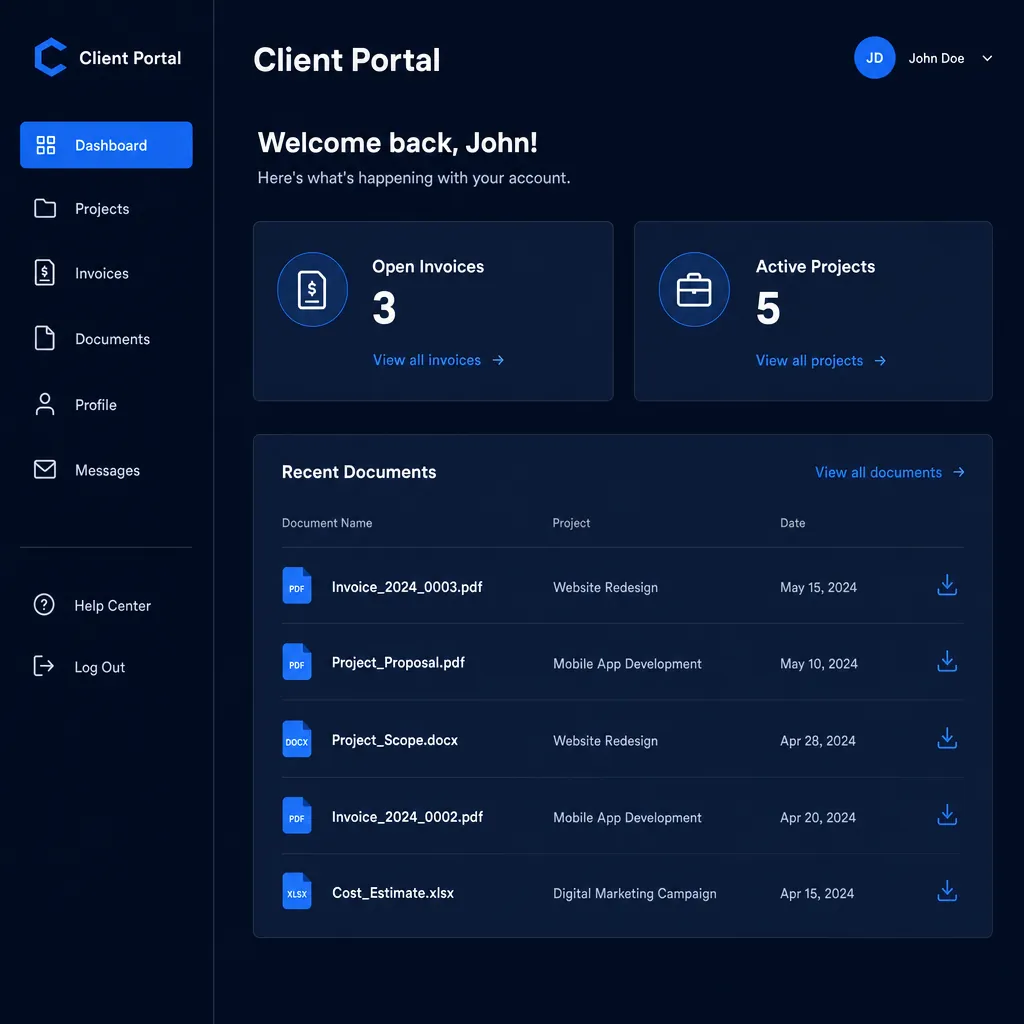
We build the portal around your real account structure: what a customer can see, what they can do, and what stays internal. It connects to the systems you already use, so the portal shows live data instead of a copy someone has to keep updated.
What you get
Secure login
Accounts, password resets, and role-based access so each client sees only their own data.
Invoices and payments
Clients view balances, download invoices, and pay online, with the record synced back to you.
Request tracking
A clear status on every request or ticket, so nobody has to ask where things stand.
Documents
A shared home for contracts, files, and deliverables, organized per account.
Notifications
Email or in-app alerts when something changes, scoped to what each user cares about.
Your branding
The portal looks like your business, on your domain, not a third-party tool.
How it works
- Map the account modelWe define what a client is, what they can see, and where the data lives.
- Design the screensYou review the portal layout and the permission rules before we build.
- Build and connectWe build the portal and wire it to your existing systems for live data.
- Launch and onboardWe deploy, help you invite clients, and stay on for support.
Signs this is the right fit
- Your team answers the same status questions by email all day.
- Clients ask for a login to see their account and you do not have one.
- Invoices, files, and updates live in five different places.
questions
Can clients pay invoices in the portal?
Yes. We can connect your payment provider so clients pay online and the payment is recorded against the right account automatically.
Will it use our existing customer data?
Yes. The portal reads from the systems you already use where possible, so you are not maintaining a second copy of customer records.
How do you keep it secure?
Each user signs in to their own account with role-based permissions, so a client only ever sees their own data. We follow current practices for authentication and data handling.
Can we start small and add to it?
Yes. Many portals launch with login plus one or two features, then grow. Because you own the code, adding to it later is straightforward.
related services
Plan your customer portals.
Send the process that is breaking down or the tool you wish existed. You get a real reply from the people who would build it, usually within one business day.